AI Automation for Small Business in 2026: What Actually Works
Every tool is "AI-powered" now. Every ad claims to 10x your business. Every LinkedIn post promises to replace your operations team with a single prompt.
Small business owners are getting pitched constantly. Most of it is noise.
This post cuts through it. Here's what AI automation for small businesses actually looks like in 2026, which workflows deliver real ROI, what to skip, and how to roll it out without breaking what already works.
The frame is simple. If you run a service business doing $100K or more, AI automation is not about replacing your team. It's about plugging the leaks where leads get lost, response times slip, and manual admin eats your week.
The hype problem
According to QuickBooks survey data, 68% of U.S. small businesses now use AI regularly, up from 48% just eighteen months earlier. The U.S. Small Business Expo's February 2026 survey of 693 owners found that 78.6% of SMBs using AI report measurable cost savings or efficiency gains.
Those numbers are real. The problem is what happens between "we know we should use AI" and "our AI setup actually makes money."
Most SMBs get stuck in the middle. They sign up for five tools, never connect them, and end up with a pile of subscriptions that each do 10% of a job. Or they try to automate everything at once and break processes that were fine before. Or they buy an "AI agent" expecting it to run their whole business and end up disappointed when it can't.
The gap between using AI and benefiting from AI is where 2026 is being decided for small businesses. Closing that gap is a systems problem, not a tool problem.
What "AI automation for small business" actually means
Stripped of hype, AI automation is two things connected together.
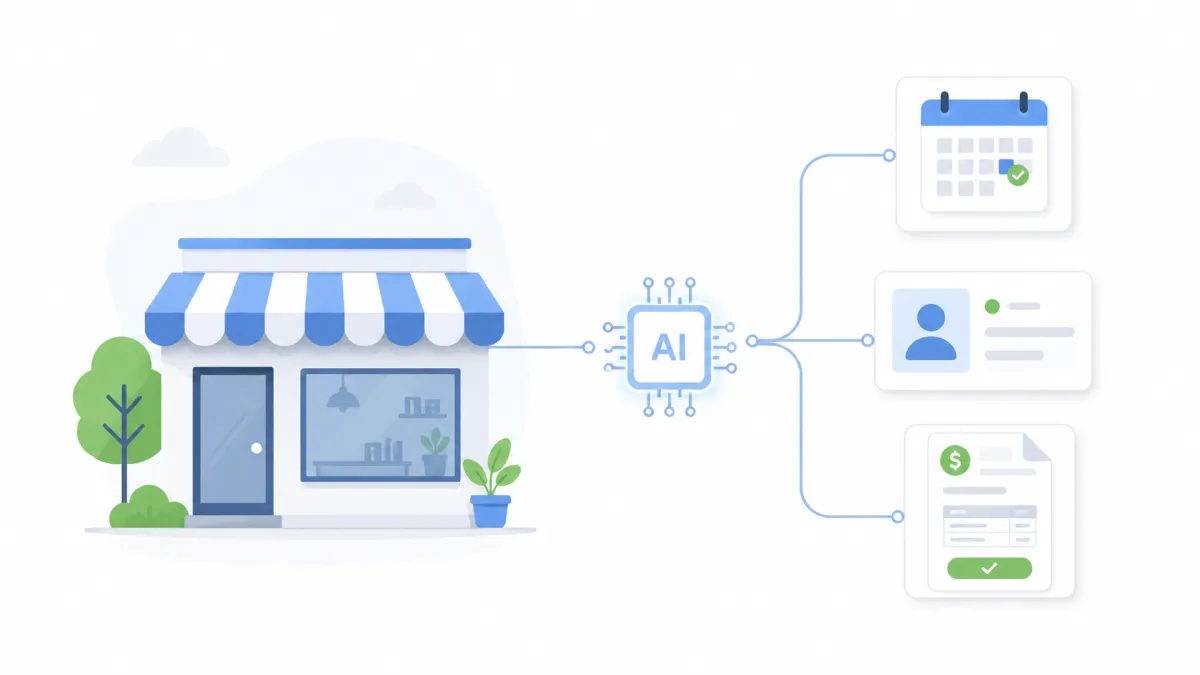
The automation layer handles the sequencing. A lead comes in, the CRM tags them, the calendar books them, the confirmation goes out, the reminder fires, and the follow-up runs. That's automation. It's been around for years, works reliably, and does not need AI to work.
The AI layer adds judgment and generation to the automation. It drafts the follow-up email so it sounds written for that specific lead. It reads the incoming message and routes it to the right person. It summarizes the call transcript so your team does not have to. That's the AI part.
The combination is what's new. Automation fires the workflow. AI handles the parts that used to need a human. Together, they do in minutes what used to take a team a day.
That's the definition. Everything else is marketing.
What doesn't work yet (for most SMBs)
Before covering what works, here's what to skip. These are pitches you'll hear in 2026 that are not worth the cost or risk for most service businesses under $5M revenue.
Full "AI agents" running your whole business
You've seen the demos. An AI agent that takes your sales calls, runs your marketing, handles your bookkeeping, and orders your supplies. For SMBs, these are not production-ready. They break in ways that are expensive to catch. The infrastructure needed to supervise them often costs more than the staff they're supposed to replace.
Revisit in 18 to 24 months. Not now.
Custom-trained AI models
Fine-tuning an LLM on your company data sounds appealing. For small businesses, the cost of doing it well (data preparation, training, ongoing tuning) rarely pays back. Off-the-shelf models with a good prompt and clean integration will get you 90% of the benefit at 5% of the cost.
AI chatbots replacing human sales
Chatbots work well for FAQ deflection and lead qualification. They do not close sales for high-ticket service businesses. Clients paying $5K or more for a service want to talk to a person. A chatbot that tries to replace that conversation often kills the deal before a human gets involved.
Use chatbots to qualify and route. Let humans close.
"Set it and forget it" marketing AI
Every week, there's a new tool promising AI-generated content, ads, and campaigns that run without oversight. The ones that work still need human editing. The ones that don't will quietly publish embarrassing or off-brand content under your name. There is no set-and-forget. There is "set, monitor, adjust."
Generative AI without a review step
The fastest way to damage a small business brand is to let AI write directly to customers without a human checking the output. Hallucinated pricing, wrong product details, tone-deaf replies. All avoidable with a review layer. None of it is forgivable at the SMB trust level.
What actually works: ten proven automations for 2026
These are the workflows that deliver real, measurable ROI for service businesses right now. Most are variations on lead capture, follow-up, and admin that NextLayer and other systems shops build every week.
1. Instant lead follow-up with AI-drafted messaging
A lead fills out your form. Within 30 seconds, they get an email and an SMS that reads as you wrote it. The AI drafts based on their form inputs (what service, what timeline, what budget). The automation fires the send, logs it to the CRM, and pings your team if the lead replies.
Harvard Business Review's classic lead response research found that responding to a web lead within 5 minutes versus 30 minutes makes you 21x more likely to qualify it. AI-assisted instant response is the easiest high-ROI automation to build.
2. Appointment booking with smart reminders
Calendar integration handles the booking. AI-drafted reminder sequences handle the confirmation, the 24-hour reminder, and the morning-of SMS. No-show rates drop. Admin time disappears.
Aesthetic and medical clinics see the biggest lift here. So do legal consultations and professional services.
3. CRM pipeline automation
Leads advance through stages based on behavior. Replied to your email? Moved to Engaged. Booked a call? Moved to Scheduled. No-showed? Moved to Re-engage. AI can tag and categorize messages that come in so the pipeline stays accurate without manual updating.
This is what our Automations service was built around. Every NextLayer system includes this as a baseline.
4. Review request and review response automation
After service completion, an automated sequence requests a Google or Yelp review. AI drafts personalized response templates for reviews that come in (positive and negative), which your team edits and posts. Review volume goes up, response rates go up, and SEO improves as a side effect.
5. Intake form triage and routing
AI reads new inquiries, categorizes them (new client vs existing, urgent vs scheduled, local vs out-of-area), and routes them to the right owner. For clinics and law firms with different intake paths, this is a major time saver.
6. Support and FAQ automation
A small knowledge base of your most common questions, plugged into an AI tool that responds to repeated inquiries. Handles 60 to 80% of the "what are your hours" and "do you service my zip code" questions without a human touching them. Humans handle the rest.
7. Re-engagement sequences for cold leads
Leads that never booked get pulled into a timed sequence. AI personalizes each message based on what they originally inquired about. Automation runs the send cadence. A steady 5 to 15% of cold leads re-engage over 90 days, which is revenue that would otherwise sit dead in your CRM.
8. Invoice and payment reminder automation
Invoices are sent automatically on service completion. Reminders fire at 7, 14, and 21 days. AI drafts the escalation language so the tone stays professional without sounding generic. Cash flow improves. Accounts receivable shrinks.
9. Reporting and dashboard automation
Weekly performance reports compile themselves. AI writes the summary narrative so you get the story, not just the numbers. Founders who used to spend two hours on Friday staring at spreadsheets get that time back.
10. Content drafts with human approval
Social posts, blog outlines, email newsletters, ad copy. AI drafts them. A human reviews, edits, and approves. Output volume goes up without quality going down. This is the only AI automation most owners actually see in action, which is why it gets confused with the entire category.
How to pick what to automate first
Three criteria. Run every candidate workflow through this before investing:
Is it repetitive? The same work is happening over and over. Lead follow-up, appointment reminders, and invoice chasing. Yes. Creative strategy, client negotiations, hiring decisions. No.
Is it high-volume? High enough that the time saved adds up. 50 leads a week benefit from automation. 3 leads a month probably doesn't.
Is it low judgment? Does a human need to weigh nuanced context to do it well? If yes, keep it human (or add a review layer). If no, automate it.
Beyond those three, ask one more question: where are you losing money right now? If leads slip through the cracks because follow-up is manual, fix that first. If no-shows eat your calendar, fix that first. Start with the workflow that costs you the most money today, not the one that sounds coolest on a demo.
Common mistakes SMBs make with AI automation
Automating a broken process. Automation makes a good process faster, and a bad process fails at scale. Map the workflow first. Make sure it actually works manually before you connect AI.
Skipping the human review layer. Pure generative AI writing directly to customers is the fastest way to cause brand damage. Build review steps into every customer-facing workflow.
Buying tools before mapping the workflow. Every SMB has a stack of tools they stopped using. The problem is not that the tools were bad. The problem is that they bought tools before defining the workflow that those tools were supposed to run. Map first. Buy the second.
No single owner for the system. If nobody owns the automation, nobody maintains it. Something breaks in a month, and the whole system falls back to manual. Assign a person (or a partner like NextLayer) to own the uptime of the system.
Stacking tools without integrating them. Five disconnected tools produce five data silos. The power of AI automation comes from workflows that run end-to-end. A CRM, a funnel, and a calendar that don't talk to each other are just three places your data is incomplete.
A safe rollout plan
Four phases. Each one takes a few weeks. Skip any one, and the next one gets harder.
Phase 1: Map your current workflow. Write down every step from "lead arrives" to "invoice paid." Include the manual handoffs. Include the places where things break. This is the gap analysis.
Phase 2: Automate the highest-impact leak. Pick the one place you're losing the most money or time. Build the automation. Ship it. Do not try to automate everything in one project.
Phase 3: Monitor for 30 days. Watch what the system does. Track response times, conversion rates, and anything that breaks. Make adjustments before expanding.
Phase 4: Expand to the next workflow. Now that you have one live system, add the next. Repeat the cycle. Inside 3 to 6 months, most SMBs have 4 or 5 automations running cleanly.
This is roughly the process every NextLayer engagement follows. Build the infrastructure first. Prove it works. Then scale.
How this plays out by industry
Local service businesses (plumbing, HVAC, electrical)
Instant follow-up is the biggest win. Dispatch-style businesses live and die by response time. An automation that texts back within 30 seconds of a form submission often wins the job before the competitor's receptionist even picks up the phone. Our client BrightFlow Plumbing saw booked calls increase by 38% in 60 days after going live with this system.
Medical and aesthetic clinics
Appointment reminders, intake triage, and review automation drive the numbers here. No-show rates are the margin killer for clinics. Automated reminders with AI-personalized language reduce no-shows by 15 to 20% on average. Revive Aesthetics Clinic dropped its response time to inquiries from hours to under two minutes using the same stack.
Consultants, coaches, and professional services
Pipeline automation, re-engagement, and content drafting do the heavy lifting. Professional services owners spend 40% of their time on non-billable work. Automation recovers 10 or more hours a week. ScaleOps Consulting cut manual admin by that much in the first month.
E-commerce brands
Customer service triage, review requests, and abandoned cart sequences deliver the fastest ROI. AI reduces support costs 30 to 40% for most e-commerce operations according to industry reports, while conversion lifts from abandoned cart automation typically run 10 to 15%.
Frequently asked questions
Is AI automation expensive for a small business?
Less than people assume. A functioning stack (CRM + automation + AI drafting) costs $100 to $500 a month in tool subscriptions for most service businesses. The build cost varies depending on the scope. For context, most SMBs recover the build cost inside 90 days through recovered leads, saved admin hours, or reduced no-shows.
Do I need to be technical to run this?
No. A well-built system runs without technical knowledge. The skill you need is process thinking, not coding. Every NextLayer system is documented and handed off so the owner (or their team) can operate it without a developer on call.
What's the difference between AI automation and regular business automation?
Business automation handles the sequencing of tasks. AI automation adds a layer that can generate, classify, or decide. A regular automation sends a templated email. An AI automation writes the email based on the lead's inputs first. The infrastructure is the same. The AI adds the judgment layer.
Will AI automation replace my staff?
For service businesses, almost never. What it replaces is the manual admin work that currently eats up your staff's time. Your team shifts to higher-value work. Response times drop. Capacity goes up without proportional hiring.
How fast can I see ROI from AI automation?
Most SMBs see meaningful results inside 30 to 60 days for lead response automation, and 60 to 90 days for pipeline and re-engagement automations. Payback period across the full stack is typically 3 to 6 months, consistent with published benchmarks from McKinsey and Boston Consulting Group.
How is this different from a typical marketing agency?
Most agencies sell traffic. Ads, SEO, social. That's half the equation. AI automation is what happens after the click. If your backend is not built to receive traffic, more traffic just produces more wasted spend. NextLayer builds the backend first, then the marketing sits on top of a system that actually converts.
The Bottom Line
AI automation for small businesses in 2026 is not magic. It's infrastructure.
The winning approach is practical. Map your workflow. Automate the highest-impact leak first. Add a human review layer wherever AI touches customers. Monitor for 30 days. Expand when the first system is stable.
The businesses that do this outperform the ones buying every new tool on the market. They spend less on software and get more out of each subscription. They recover leads that used to disappear. They stop depending on the owner remembering to follow up.
The technology is ready. The question is whether the system around it is.
Want to see where AI automation could fit into your business without buying another tool? Get a free systems audit. We'll map your current setup, identify the leaks, and show you exactly which automations would produce ROI fastest.